Get the latest updates from us for free

Showing posts with label Wordpress. Show all posts

CodeCanyon - Slider Revolution v2.1.7 Wordpress Plugin Free - Giveaway

15 Comments so far


Create a responsive(mobile friendly) or fullwidth slider with must-see-effects and meanwhile keep or build your SEO optimization (all content always readable for search engines). See the heaps of custom transitions/animations for each object on the page! Customize this slider with our convenient drag&drop backend to your very needs.
This plugin features tons of unique transition effects, an image preloader, video embedding, autoplay that stops on user interaction and lots of easy to set options to create your own effects.

FreshLife v2.0 Mashable Like Wordpress Theme By Theme Junkie - Free Giveaway

19 Comments so far

Theme Junkie has a collection of some of the most decent, user friendly , neat and clean , and professional themes for WordPress blogging platform. Last month i reviewed their Weekly Theme, which is designed like a News site.
Now i am going to review another popular and fantastic WordPress Theme "Fresh Life" by Theme Junkie. Fresh Life theme is also a very simple and well designed theme like any other Theme Junkie theme. It is professionally designed to make your blog look like a professionally built portal with easy navigation , clean interface and perfect advertisement placement options.
I am giving this theme free of cost to you. You can donate us a little amount so that we can purchase a custom domain for our blog.


How To Create a Pinterest Like Website On Wordpress Blog?

31 Comments so far

Pinterest is the fastest growing social networking website within few months of its release it is able to attract millions of users. In meanwhile, it has overtaken some social giants like Digg and Stumbleupon. The only reason why it is successful is because of its uniqueness. From its core, it is a virtual bookmarking tool furnished with social features such as Commenting, repining, and liking. All these features can easily be fashioned by WordPress Users, and they can create a website similar to Pinterest. So today we will discuss how to create a website similar to Pinterest on our WordPress Blog having same pin board features.

Thesis Themes Pack Free Download - Giveaway

18 Comments so far
Tired of spending hours trying to design a professional looking Thesis site with no luck? 
Let a skin do the heavy lifting.
We provide clean, easy, and professional Thesis Skins for any type of site- be it for a company, blog, portfolio and more
Thesis is a WordPress framework and it's plain design does not work for everyone. Thesis skins overlay the Thesis framework, so that you can have a killer design without losing any benefits of Thesis.
A Thesis skin is a pre-packaged download that contains the code needed to updated the look of your Thesis site automatically.

How To Install And Optimize Thesis Theme For Wordpress

1 Comment so far
Thesis 2 which is one of the major upgrade in last one year comes with some amazing features and if you are new to Thesis and never tried it before, you can download it from here. Thesis 2.0 comes with many new feature and if you are accustomed with earlier design and theme options, Thesis 2.0 is done right from scratch.

I have recently posted about: 


Thesis 2.0 Wordpress Theme Free Download - Giveaway

162 Comments so far
Thesis 2 which is one of the major upgrade in last one year comes with some amazing features and if you are new to Thesis and never tried it before, you can download it from here. Thesis 2.0 comes with many new feature and if you are accustomed with earlier design and theme options, Thesis 2.0 is done right from scratch.


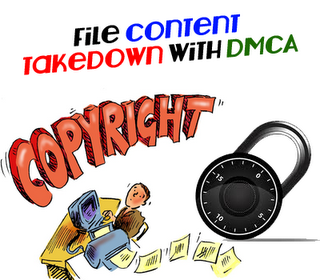
How To File A "DMCA Content Takedown Notice" - "Complain To DMCA"

Be the first to comment!
Protecting our precious content from stealer's is one of the biggest headache of a modern publisher.Creating a unique  content is one of the most difficult task but copying the content is much easier.This is the biggest reason why many people likes stealing.On the other hand a publisher who had done all the hard work remains empty handed without any credits.These days copying content is becoming a trend which is followed by a large population available on the internet.

What usually Happens:You write a delightful post,in which you spend 2 to 3 days researching about the topic,collecting highlight about the topic,selecting correct words to express your talent,adding spice to the topic and hitting Publish button to get the credits which you richly deserved.And then the most disappointing times arrives when some one steals your content and copied it completely without changing a single word.

Top 5 Plugins To Maximize Your Wordpress Blog Security

Be the first to comment!

Hacking is the most painful term if you are a publisher,Day in and day out hackers are finding the weakness in websites.If you don't take care of your website then it is quite obvious that you might become the victims of these unfriendly hackers.So you need to be prepared to avoid these threats and making sure to guard you WordPress Blog.

For instance you have a WordPress blog which is not secured and a Hacker identifies your blog is low in security he will launch tons and tons of attacks on your website which will either down your website or it would steal your password.These days hacker are capable enough to even delete your entire blog so its better to take steps to prevent your blog from hacking.It could be a wake up alarm for us if we have a WordPress blog we must take needly steps to protect our blog from hackers and WordPress does have some useful plugins which could make our blog protected.So today we will learn how we can use these plugins to protect our WordPress Blog from Hackers.

Protecting Your Copyrighted Content From Getting Stolen - Series

4 Comments so far
Protecting our content is one of the most crucial topic as these days internet's world is spreading rapidly and widely.The reason why chances of getting your content stolen/copied are increasing.We spend hours of working and writing to find the correct and the most unique topic with the best artwork.We try our best to make our work as attractive as we can and in the end we are pleased with the work when it gets live and the recives positive response from readers.Just few weeks later we figure out the post which we had published previously which has the entire content in form of text,our artwork,the way of our presentation is copied really handsomely by the stealer's.What can we do now? here we cannot do much as a small author does not have many resources to go in court all he can do is sit back and to mourn.The only way to protect your copyrights is to fight to prevent from copying in future.

Top 5 Tips To Bost Your Website Load Time

Be the first to comment!
Website Speed and performance play important role not only in Search Engine Optimization but it also helps in increasing user experiences.If you have a website which load time is slow then your website is simply userless no matter how good it is user only like those websites which have good speed.Due to lack of speed you could  not only lose your visitors but your SEO ranking will also drop due to the decrease in the bots crawling rate.These days internet is being used on Mobile (SmartPhones) the reason why the website which have good speed are more successfully.About 50% percent Chinese (The Worlds Largest Nation) and 80% of American use internet from there mobile and America is the only country which has the most internet users so its important your website has good speed to target audience in America.Due to the increase in use of wireless connection like Wifi its important your site has good load time to stay alive in the race.so lets start optimizing before it gets too late

How To Convert Wordpress Blog To Blogger

Be the first to comment!
Blogger is one the most powerful term of the internet and its getting even better as time passes the reason why its users is increase on daily basis as most of the WordPress users are finding ways to transform there WordPress Blog to Blogger by exporting and import there blog posts.Which is not a difficult task in few steps we can easily convert WordPress To Blogger.Blogger provides much easier interface,easy optimize templates,widgets and much more.WordPress also have some good features but in my opinion Blogger is simply the best.Old Rivals WordPress Vs Blogger who is the Best.So I my self recommend you to use Blogger as it has great importance in the town of internet.

So Today we will learn How To Transform WordPress To Blogger Blog before we get started lets look at some disadvantages of transforming your WordPress blog to Blogger.

Best Tips To Improve Your Alexa Traffic Ranking

Be the first to comment!
There are tons and tons of websites available on the internet and thousands of websites are born every day so its getting important to attain a good website ranking world wide.Alexa is one of the most popular website ranking community of the world.Alexa has a very decent way of calculating its ranking,it simply calculate all the ranking by the means of unique page views given by every user on each day.It even shows country wise ranking,It changes its websites ranking on daily basis even now Search engine bots are taking Alexa's top ranked websites important.So to improve Alexa ranking is becoming compulsory to increase your websites traffic.This is the reason why today we will discuss how to improve your Alexa Traffic Rank.

How To Do Auto Posting In Wordpress With Rss Feeds (Plugin)

Be the first to comment!
AutoPosting is a powerful term its main job is to do autoblogging.If you use Auto posting software it will turn your whole blog into auto-pilot and will provide you fresh and unique content every time.But if you search for a good Auto posting software it will cost you,so today we will show you how you can use Rss Feed to get automatic content updates without doing any thing free of cost.You can use Rss Feed Auto posting to share your content on your different blogs.After you implement Auto posting all you have to is to sit back and enjoy.Currently this feature is only for WordPress.How ever many different scripts are developed to do Auto posting in Blogger but still its not officially released by Blogger.How the process of Auto Posting Works with RSS.

2012's Top 5 SEO Plugin For Wordpress to Increase Traffic

Be the first to comment!
The World of internet Consist of More then million's of Web Blog's.To establish your self in the town of blogging you should have a good strategy to attract visitor.If you think you can achieve your goal by spreading your blog to your friends,family,then your goal of ruling the internet is far from near.You could only dominate the town of internet if you get thousand of visitor's on daily bases.To get the visitors you have to attract high quality search engines like Google,Yahoo,Msn and etc.In other words we can say you have to improve your (SEO).To increase your SEO there are several method but one of the effective way is to use SEO plugin's.WordPress is the only Blogging Platform which allow to work freely unlike other's.Blogger is one of giant name but it does not provide liberty to it's user,this is the reason why lot's of user prefer WordPress and are converting their Blogger blog's to WordPress.But one of the most important reason for the conversion is SEO (Search Engine Optimization) WordPress provide lot's of plugin's which provide convenience to Blog owner's.WordPress contain lots of SEO plugin but we have selected Best top 5 SEO plugin's For WordPress

Using Feedburner to Create Your Own Website Feeds

Be the first to comment!

We All know Feedburner is a web feed management provider which was launched in 2004,it was launched to help webmaster in managing there feeds (Basically your posts).While most of the webmaster's don't know its importance so its better to create your own website feeds powered by feedburner,as feedburner is lot easier then other feed services.Blogger is the only platform which provide built-in feeds but it's better to create a new one by your self.FeedBurner not only burns your feeds but it will help you to spread your content to your Feed Subscriber They can also select on which platform they want to see your feeds.So let's start the process of building your own  Rss Feeds.
 

Techies

Ping your blog, website, or RSS feed for Free

Sponsors

Sponsors

Protection Status

Follow me on Google+

MyFreeCopyright.com Registered & Protected

Advertisements!

Advertisements!

Followers

Copyright © 2012 All Rights Reserved. Any Article on This Blog can not be repost or reproduce in any form without the permission of Author.